The laptop is six feet away.
The file is already on your phone.
Yet the transfer begins by asking who you are.
Email address. Password. Verification code. Maybe a two-factor authentication prompt on another device. Then an upgrade screen—before a single byte has crossed the room.
Why should sending a file feel like opening a bank account?
One small task, one completely unnecessary identity
The pain is not that accounts are always bad. The pain is that this transfer does not need one.
You are not creating a team workspace. You are not opening a permanent cloud archive. You are not asking a company to remember your files for the next five years.
You are trying to move one file from here to there.
But many transfer products have turned that moment into an identity funnel. WeTransfer says that, since November 2024, all senders must have an account. When you are signed out, its documented flow asks for your email address, sends a verification code, and requires you to paste that code back before sending. Passwordless login means returning to the inbox for another code later.
The file may be six feet away. Your permission to send it is making a round trip through somebody else's servers.
Phone-migration workflows can add another layer. Samsung's own older Smart Switch documentation includes flows involving an iCloud account and password. Google's Quick Share documentation for Windows says a Google Account is required to access all sharing options.
The names and exact steps change. The pattern does not: a simple utility becomes dependent on a permanent identity.
The business wants an account. The file does not.
The reason is straightforward.
An account gives a company a user it can recognize, measure, contact, retain, and eventually upsell. A transfer becomes the entrance to cloud storage, larger limits, team plans, history, subscriptions, and an ecosystem.
That may be good business.
It is not a technical requirement for handing a file to another device.
A file transfer needs authorization—a way to confirm that the correct receiver may join this transfer. It does not need a permanent profile that remembers who you are after the job is finished.
That distinction is the entire idea behind SEYFR.
See account-free file transfer in action: Martillo de Maslow, Episode 2 turns this exact email-password-2FA problem into a short story—and shows the simpler SEYFR path.
https://www.youtube.com/watch?v=543CGX-zdhM
The ticket is the permission
SEYFR replaces permanent identity with a temporary transfer ticket.
The sender chooses a file. SEYFR creates a QR code and a text ticket. The receiver scans or pastes it. The two devices connect, confirm the transfer, and move the file.
That is the whole ceremony.
No SEYFR account.
No email signup.
No phone number.
No password.
No code delivered to an inbox.
The ticket contains the connection information needed for this transfer. It is not a user profile, a cloud folder, or a lifelong membership card. It exists to help the intended devices find and verify each other, then its job is over.
This is what security should feel like: specific to the action, understandable to the people involved, and temporary by design.
Some excellent tools already proved people want this
SEYFR is not alone in believing file transfer should become simple again.
LocalSend deserves credit for making local, cross-platform sharing private and account-free. Snapdrop showed how delightful it could feel to open a browser and see another nearby device. PairDrop has continued pushing that browser-based idea forward.
These projects are evidence that people do not want another login screen. They helped restore the idea of file transfer as a utility, and we are glad they exist.
SEYFR takes that movement one decisive step further:
Your devices do not have to share the same Wi-Fi network.
LocalSend is excellent when devices can discover each other on the same local network. Snapdrop's original magic was also built around nearby devices sharing a network. But “nearby” should describe the people—not the router.
The laptop beside you might be on Ethernet while your phone is using mobile data. Guest Wi-Fi may isolate devices from one another. A hotel or office network may block local discovery. The receiver may not be beside you at all; they may be across town or across the world.
SEYFR's ticket does not depend on both devices appearing in the same local discovery list.
Open SEYFR on both supported devices. On the sending device, select the file or folder and share the QR code or transfer ticket. On the receiving device, scan the QR code or paste the ticket, then choose where to save the file or folder.
SEYFR's superpower is freedom from the network boundary
This is where SEYFR stops being merely another account-free alternative.
It combines the simplicity people love in LocalSend and Snapdrop with a transfer path designed to work across local or different networks.
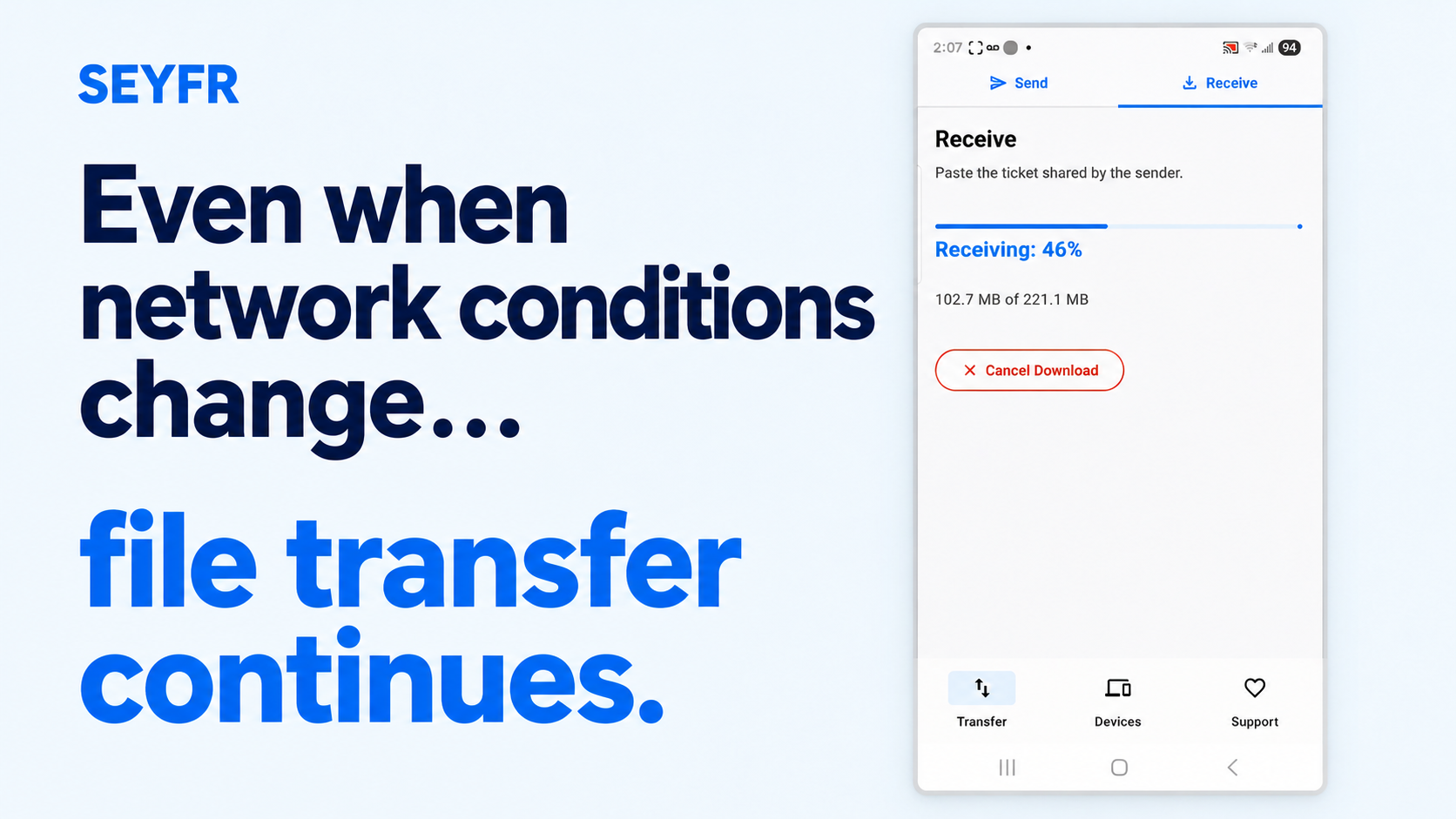
When a direct peer-to-peer path is available, the devices transfer directly. A relay helps them exchange connection information and steps back when that direct path works. If the network will not permit a direct path, the relay can forward the end-to-end encrypted transfer without reading the file or storing it as a cloud-drive object.
So the experience stays consistent:
same room or different continents;
home Wi-Fi, office Ethernet, guest networks, or mobile data;
Android, iPhone, iPad, Mac, Windows, and Linux;
photos, videos, documents, or folders;
no SEYFR identity required.
The network path can change, but SEYFR's demand on the people does not: neither person must become a registered user. Whether the devices connect directly or the encrypted transfer needs relay assistance, authorization still comes from the temporary ticket—not an email address, password, phone number, or permanent profile.
That is SEYFR's real advantage. It does not merely hide the account form or postpone registration until later. It removes the account from the transfer model.
Try the six-foot test
Put a phone and laptop beside each other, but place them on different networks. Keep the laptop on Ethernet or Wi-Fi. Turn off Wi-Fi on the phone and use mobile data.
Now send a large, original-quality file.
If a tool needs both devices on the same local network, it has reached its boundary.
If it asks you to create an account, it has introduced an identity that the transfer does not need.
With SEYFR, one device shows the ticket and the other scans or pastes it. The file moves between the intended devices without turning either person into an account.
And if the receiver is not six feet away but six thousand miles away, the steps remain the same.
Software can be useful without trying to own the user
The best utilities do not mistake access for ownership.
They do not treat every action as the beginning of a subscription. They do not require a permanent identity for a temporary exchange. They do not force your devices onto the same network simply because local discovery was easier to build.
LocalSend, Snapdrop, PairDrop, and other account-free projects helped prove that people are ready for simpler file transfer.
SEYFR carries that principle beyond the room.
Pick the file.
Show the ticket.
Send nearby—or across the world.
Try SEYFR with no account, password, or shared Wi-Fi required.
About the author
- “We spice up your hustle!” At JITPOMI, we're all about empowering your grind through cutting-edge tech solutions — whether it’s in academia, trade, finance, media, or faith. We exist to make you better by helping you reach your business goals and exceed expectations through collaboration and co-creation.
Comments
Join the discussionNo comments yet. Be the first to comment.